How games work
This page is a map, not a lesson. Every part of a game that the lessons touch is listed here with one sentence on what it is and a link to the section that explains how it works. Each section is written for someone who has not seen the idea before, uses real numbers, and ends in what you would see if you looked at the running game from outside.
Most of the parts below are what an engine supplies (Lesson 4.1). The small example programs in the Bevy engine’s example gallery show nearly every one of them in a few dozen lines, if you would like to see one running.
The program and the world it runs
Section titled “The program and the world it runs”- Application. The program that starts up, loads its settings, installs its parts, and runs the loop. Starting up, one frame.
- Window. What the game draws into: its size, scale, fullscreen mode, refresh, and what changes when there is more than one. The window itself.
- Movement. Changing a position over time, with the time step the engine uses. Movement needs space and time, time inside the update, real time, game time, and the clamp.
- ECS (entity component system). Entities as identities, components as data, and systems as the code that runs over them. Entities, components, and systems, how components sit in memory, tables and sparse sets.
- Resources, events, and queries. How systems share data without calling one another, and how they ask for only the entities they need. Three ways systems share data, events, queries, change detection.
- Schedules, order, and states. Which system runs first, which can run at the same time, and which are skipped. A frame is a fixed list of schedules, order and parallel work, run conditions and states, commands.
- Input. From device events to actions: buttons and their edges, sticks and dead zones, keys, the mouse, touch, and controllers. How a game reads input, why edges go missing.
- Scene. A group of entities, often a hierarchy, loaded as one. Scenes.
- Games. The parts assembled into one small game, with its states. A whole game from these parts.
- Async tasks. Slow work done off the main thread and returned through a channel. Slow work leaves the frame, worker threads and tasks.
- Usage. Everyday patterns such as timers and cooldowns, and popups such as a context menu. Cooldowns, popups.
Space, cameras, and math
Section titled “Space, cameras, and math”- Math. Vectors, blending between values, easing, curves, bounding shapes, turns, and random points. Coordinates, vectors, and directions, blending values, extrapolation, bounding volumes, quaternions, random spread.
- Transforms. Placing, turning, and scaling an object, a child on its parent, and the local and world copies an engine keeps of each. Transforms, two copies of a transform, four engines, four conventions.
- Camera. What is seen: perspective and orthographic views, several cameras with their own viewports, and the ways a camera moves. Field of view and aspect ratio, orthographic projection, several cameras, shake, follow, orbit, and zoom.
- Picking. Finding which object is under the cursor. Picking.
Drawing
Section titled “Drawing”- 2D rendering. Sprites, sprite sheets, tilemaps, layers, and transparency. Two-dimensional rendering.
- 3D rendering. Meshes, materials, light, shadows, fog, visibility, culling, high dynamic range, anti-aliasing, and the passes that make up a frame. Materials, textures, and light, transparency, culling, who decides whether an object is drawn, passes, HDR and anti-aliasing, the renderer’s own copy of the world, texture coordinates.
- Shaders. The small GPU programs that turn data into pixels, and what they read. What a shader reads.
- Shaders, advanced. Variants, instancing, compute shaders, and full-screen effects. Variants, instancing, and shaders that do not draw.
- Animation. Keyframes, skeletons, blending, and morph targets. How animation moves a character.
- UI (user interface). Text, layout, scaling, nine-slice art, clipping, input, and focus. What a game’s interface is made of.
Files and sound
Section titled “Files and sound”- Assets. How a file becomes something the game can draw or play, how long it stays loaded, and when a changed file is picked up. Loading an asset, how long an asset lives, events and reloading.
- glTF. An open format for 3D models, read link by link. Reading a glTF file.
- Audio. Samples, mixing, pitch, and where a sound comes from. Sounds, two ears and falloff.
Looking at a running game
Section titled “Looking at a running game”- Diagnostics. Frame time, logs, and the difference a debug build makes to every measurement. Measuring the frame.
- Dev tools and tools. Overlays, editors, and viewers. Overlays, gizmos, editors, and stress tests.
- Gizmos. Shapes drawn for one frame to show what is invisible. Gizmos.
- Stress tests. Loads that find where a game slows down. Why many small draws cost frame time.
Four of them in a running game
Section titled “Four of them in a running game”Screenshots from the book’s own labs show four of the parts above at work. Each one opens the section that explains it.
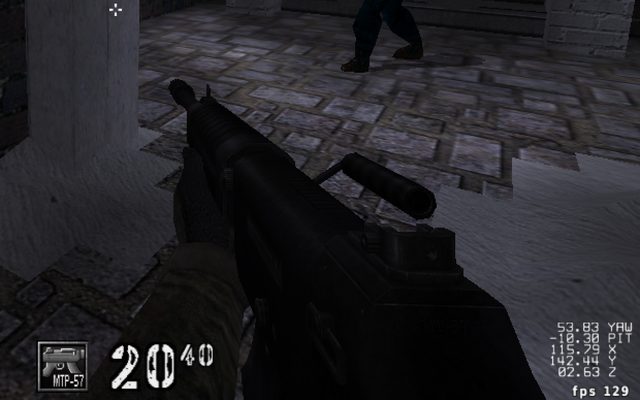
Diagnostics
The frame counter and the position readout in the corner are drawn by the game itself.
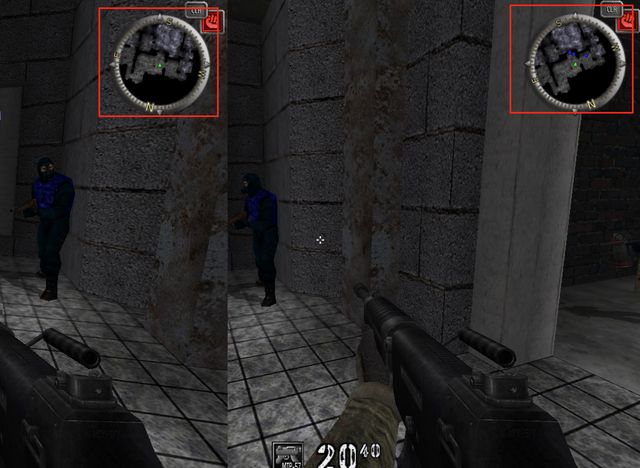
Minimap and interface
A map drawn from the same positions the world is drawn from, turned into a picture.
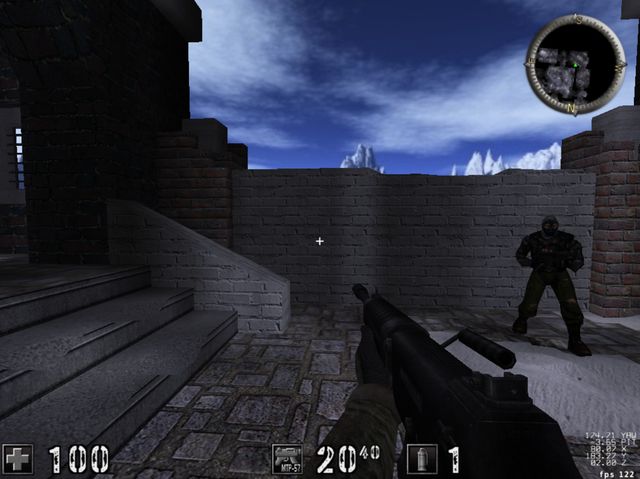
Picking
The crosshair marks the place the game asks “what is under here?” about.
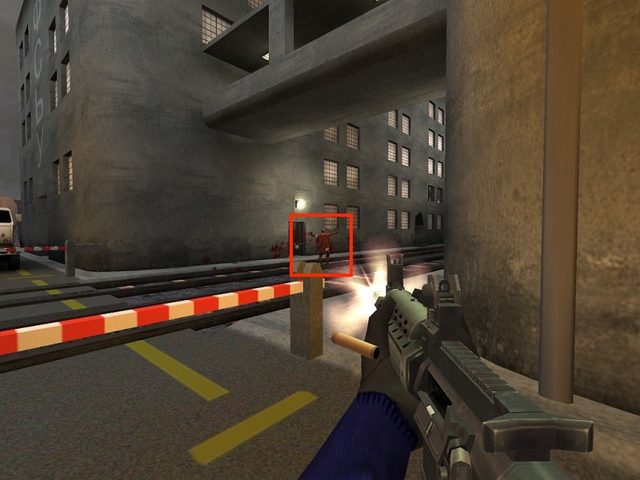
Assets
Every texture, model, and sound in a scene like this was loaded from a file.
Where to start
Section titled “Where to start”The first lesson of Chapter 4 introduces most of the parts above: it separates an engine from the game on top of it and follows one frame from input to the screen. The glossary defines the words the sections use.
Start with Lesson 4.1: Game Engines Lesson 4.2: Ordering and sharing work Open the glossaryThis book grew out of the original Game Hacking Academy by attilathedud and has been rewritten as a beginner-first course. Like the original repository, its source is published under the Apache License 2.0.