Game Files and Live Memory
See how saves, configuration, textures, maps, and archives preserve game state outside a running process, how a game turns an asset file into something it can draw or play, and how long that asset stays loaded, changes, or reloads.
Cheatsheet for Lesson 10.1
A one-page summary of “Game Files and Live Memory” you can keep beside your notes. Plain Markdown.
Lesson 10.1 — Game Files and Live Memory: cheatsheet
- Remember: Check byte boundaries before interpreting game meaning: a plausible character value cannot make a truncated record safe to read.
- Also useful: Follow three labels for one value: its game meaning, its named format field, and the encoded bytes. Finding one label does not identify the others.
Key terms
- format: Its format defines where each field begins and ends, and what its bytes mean: text, a count, an offset into the same file, and so on.
- checksum: A checksum is a compact value calculated from other bytes to detect accidental changes.
Formulas and patterns
header → version and counts;table → where entries begin;data → the actual records or assets;footer → optional checksum or index
Review
- Q: When is a game file a better analysis target than live process memory? A: When the needed state already has a documented or discoverable on-disk format
- Q: A game asks for an asset and the engine hands back a handle at once. What is true at that moment? A: The handle exists, but the file may not be read, decoded or uploaded yet
State can outlive a running game
Section titled “State can outlive a running game”A live memory edit affects the current game session. What if a change should
still be there after the game closes and reopens? The game must save some state
to storage and load it again later. For the Flare character used in the next
lesson, the visible Physical attribute starts at 5; its save includes
build=5,1,1,2. That line gives us a specific question: which file stores
the value, and can the game still load it after a controlled edit?
The chapter starts with readable saves, then opens a binary save byte by byte. The same care with formats carries into textures, unit definitions, and mod archives. Manifests, signatures, and encryption answer later questions: which files changed, who approved them, and who can read them?
The file is a durable representation of part of the running state. It is not the same bytes at the same memory address: the game writes a format it knows how to read later. We will locate and copy the real file before changing its contents.
Saves are only one kind of game file. Games also load:
- settings and configuration;
- saves and profiles;
- maps and level scripts;
- textures, models, and sounds;
- localization text;
- unit or item definitions;
- archives that bundle many files.
If a supported mod file can express your idea, use it. File-based changes are easier to inspect, share, version, and undo than live memory patches.
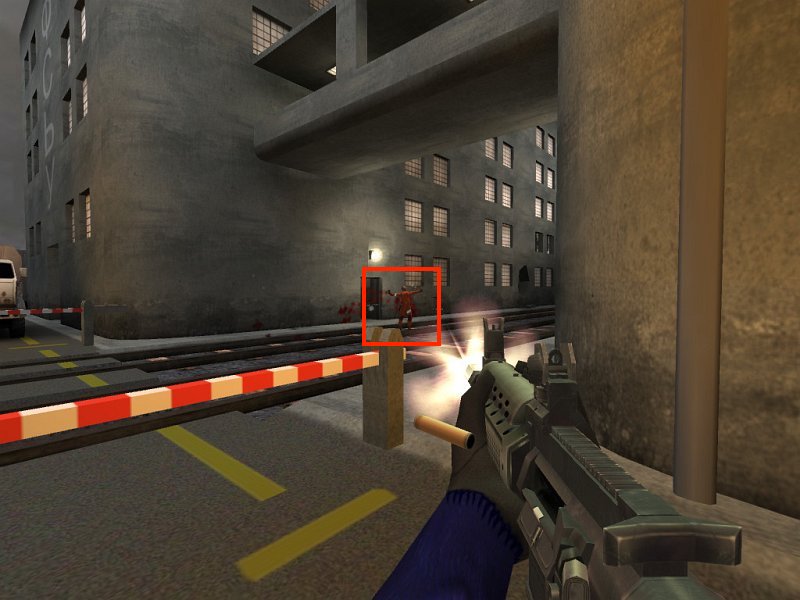
From a file to something on screen: loading an asset
Section titled “From a file to something on screen: loading an asset”A file on disk is not what the game draws. An asset is any file the game loads, such as a texture, a model, a sound, or a level, and loading one takes several steps:
- The game asks for the asset by path, and the engine hands back a handle at once, a small ID like the entity IDs of Lesson 4.1. The data has not arrived yet.
- A background task (Lesson 4.1) reads the file and decodes it. A PNG’s compressed bytes become raw pixels. A 256 × 256 image that takes 40 KB on disk becomes 256 × 256 × 4 bytes (red, green, blue, and alpha) = 262,144 bytes. A mipmap chain adds half-size copies, 128 × 128 down to 1 × 1, for distant surfaces, and the copies add about a third more: 262,144 × 4 ÷ 3 ≈ 349,525 bytes.
- The pixels are uploaded to the graphics card’s memory. Only then is the asset ready. Until then the handle says “loading,” and the engine draws a stand-in or nothing.
- The engine keeps a cache, so a second request for the same path gets the same handle and no second copy. This is the shared asset behind the separate instances of Lesson 1.3.
There are a few variations. An embedded asset is compiled into the executable, so a small icon needs no file. A generated asset is built while the game runs, such as a texture drawn by code. A web asset is downloaded. A loading screen waits for every handle it asked for and moves on when the count of unfinished ones reaches 0.
This explains two things you will meet. A replacement file is found by its path, so a mod must keep the name, the folder, and the format (Lesson 10.4). And memory holds the decoded pixels, not the PNG, so a scan of the process finds raw image data and never the file’s own bytes.
How long an asset lives
Section titled “How long an asset lives”Loading is the first half of an asset’s life. The rest depends on who still holds its handle.
In Bevy and engines like it, a handle comes in two kinds. A strong handle keeps the asset alive, and the engine counts them. A weak handle names the asset without keeping it alive, so a lookup can use it without delaying the moment the asset is freed. When the count of strong handles reaches 0, the engine frees the decoded data, and the copy on the graphics card goes with it.
ExampleA 256 × 256 bullet texture with 40 bullets
The level’s loader holds one strong handle, and every bullet that draws the texture holds another.
| Moment | Strong handles | Texture in memory? |
|---|---|---|
| the level has loaded, no bullets yet | 1 | yes, 349,525 bytes with its mipmaps |
| 40 bullets are fired | 1 + 40 = 41 | yes |
| all 40 bullets despawn | 1 | yes |
| the level unloads and its loader lets go | 0 | freed |
So a scan for the decoded pixels finds them only between the first request and the moment the last handle is dropped. After the level changes, the same address can hold something else, as entity addresses do (Lesson 4.1).
One file can hold several assets. A 3D model file typically holds meshes, materials,
textures, animations, and scenes, and the engine gives each part its own handle, named
by the file’s path and a label, such as ship.glb#Mesh0. A model with 3 meshes,
2 materials, 1 texture, 2 animations, and 1 scene gives 3 + 2 + 1 + 2 + 1 = 9 assets
from one path, and the cache described above keeps one copy of each.
Events and reloading
Section titled “Events and reloading”The engine announces changes to assets. When an asset is added, modified, or removed, it sends an asset event, and a system can react to the event instead of checking. A system that builds a collision shape when its mesh finishes loading then runs once, on the event. Checking every frame for the 5 seconds the mesh takes to load would run it 5 × 60 = 300 times to learn the same thing.
A game under development usually also supports hot reloading. It watches its asset folder, and when a file’s modification time changes, it decodes the file again, replaces the data behind the same handle, and sends a “modified” event. Everything holding the handle shows the new version on its next draw, with no restart. A shipped game usually turns the watcher off and reads each file once, when the level loads. What a replaced file does depends on which of these the game does:
When a replaced file shows up
| How the game gets the asset | When your replacement shows |
|---|---|
| it watches its folder, as a development build does | on the next frame |
| it reads the file when a level loads | the next time that level loads |
| it reads from an archive | after the archive is rebuilt and the level loads again |
| it has the asset embedded in the executable | never, because no file is read |
Observe file access
Section titled “Observe file access”We know the Flare attribute is saved, but a folder may contain several saves, backups, and shared stashes. Use Process Monitor inside the VM to see which paths the game opens when you:
- start the game;
- load a save;
- enter one map;
- change one setting;
- close the game.
Filter by the target process and operations such as CreateFile, ReadFile, and WriteFile.
For this experiment, create a disposable character and choose Save & Exit once. A write to avatar.txt near that action is a candidate; Lesson 10.2 confirms the path and the build= field before changing it.
Copy before parsing
Section titled “Copy before parsing”The candidate file is evidence as well as game data. Never experiment on the only copy:
use std::{fs, path::Path};
fn make_backup(path: &Path) -> anyhow::Result<()> {    let extension = path.extension()        .and_then(|value| value.to_str())        .unwrap_or("file");    let backup = path.with_extension(format!("{extension}.gha-backup"));    // Preserve an existing backup rather than overwriting the way back.    anyhow::ensure!(!backup.exists(), "backup already exists: {}", backup.display());    fs::copy(path, &backup)?;    Ok(())}
This helper takes the path of an existing file. With avatar.txt, it writes
avatar.txt.gha-backup and returns success only if the copy succeeds. It uses
the anyhow dependency for an error that includes the failed path; an existing
backup is an error rather than a reason to overwrite it. Keep the original
bytes and record a hash.
Identify the kind of file
Section titled “Identify the kind of file”The extension is only a hint. Inspect the first bytes:
use std::{fs::File, io::{self, Read}, path::Path};
fn first_bytes(path: &Path, count: usize) -> io::Result<Vec<u8>> {    let mut file = File::open(path)?;    let mut bytes = vec![0_u8; count];    let read = file.read(&mut bytes)?;    // Report only bytes actually read, not the buffer's unused zeroes.    bytes.truncate(read);    Ok(bytes)}
For first_bytes(path, 16), the buffer has room for 16 bytes and the returned
vector contains the bytes obtained by that read. A read can return fewer;
this is a quick identification helper, not validation of an entire header.
Common “magic” bytes include:
PNG 89 50 4E 47 0D 0A 1A 0AZIP 50 4B 03 04gzip 1F 8BA file with no readable text may be compressed, encrypted, or simply binary.
This interactive lab needs JavaScript. The lesson text around it still explains the same idea.
A file format defines fields and byte boundaries
Section titled “A file format defines fields and byte boundaries”A file is only a numbered sequence of bytes. Its format defines where each field begins and ends, and what its bytes mean: text, a count, an offset into the same file, and so on. For example, a four-byte count and a four-byte offset occupy the same space but mean different things. Two parsers using the same format must agree on the fields in the same bytes.
The Flare line build=5,1,1,2 is a small text-format example: the = ends
the field name and commas separate four numbers.
Lesson 10.2 parses it by those rules
before changing a value.
header → version and countstable → where entries begindata → the actual records or assetsfooter → optional checksum or indexThat sketch describes one possible binary layout, not the layout of Flare’s text save. A PNG begins with the fixed bytes shown above; a different binary format might begin with a count telling its parser how many records follow. For either format, field sizes and boundaries have to come from its documented layout, not a guess based on the file extension.
Text formats use character encodings and visible separators. Binary formats use fixed fields, lengths, offsets, and flags. Neither kind is automatically safer or simpler; both need a parser that rejects impossible sizes and missing fields.
Compression and archives are also different ideas. Compression tries to represent data in fewer bytes. An archive gives many named entries one container. ZIP normally does both, but a ZIP entry can also be stored without compression.
A checksum is a compact value calculated from other bytes to detect accidental changes. A cryptographic signature additionally uses a key to prove who produced the data. Renaming or recompressing a file does not recreate a valid signature.
Parse in two stages
Section titled “Parse in two stages”First prove the bytes are structurally safe to read. Then decide whether the decoded values make sense for the game.
byte validation: offsets, lengths, counts, encoding, checksumsmeaning validation: known version, valid IDs, legal ranges, consistent referencesA file can pass one stage and fail the other. A well-formed save might refer to an unknown unit type, while a familiar unit name can appear inside a truncated file. Keeping the stages separate produces precise errors and stops friendly-looking text from bypassing boundary checks.
Use a cursor or checked slice ranges rather than repeatedly calculating raw indexes. Every parser step should either consume a proven range or return an error without changing the input file.
Parse, do not search-and-replace blindly
Section titled “Parse, do not search-and-replace blindly”For text formats, prefer a real parser:
serde_jsonfor JSON;tomlfor TOML;quick-xmlfor XML;- a format-specific library when available.
Blind replacement can alter comments, unrelated fields, encodings, checksums, or lengths.
Parsing creates a data model that is intentionally smaller and clearer than the file representation. Preserve fields you do not understand when the format allows round trips, and distinguish “missing,” “present with a default value,” and “present with an unknown value.” Those cases may serialize differently even when the game currently displays the same result.
The data model shapes the questions you can ask
Section titled “The data model shapes the questions you can ask”A data model specifies the values, relationships, and constraints that matter to a program. A character model might name attributes, inventory entries, and item IDs. A file format specifies how a chosen part of that model is represented for storage. The raw bytes are another layer below that format.
The Flare line build=5,1,1,2 illustrates the separation. At the game level,
the first value is the Physical attribute. At the format level, it is the first
comma-separated number in a particular named field. At the byte level, the
digit 5 occupies a position in encoded text. A raw byte search cannot by
itself recover the attribute’s role or prove that an unrelated occurrence of
the digit is the same field.
Different storage models expose different relationships:
| Model | A possible game use | What the structure makes explicit |
|---|---|---|
| Nested document, such as JSON or XML | One save with a character and inventory entries | Containment and named fields |
| Relational tables | Character rows and item rows linked by owner IDs | Records, keys, and relationships between tables |
| Graph of nodes and edges | Map locations joined by traversable routes | Connections, and properties of each connection |
These are options, not a claim that every game uses a database or every map needs a graph database. Choose a model for the questions and updates it must support. The storage implementation then chooses a byte representation and access structures. A parser or query interface hides some lower-level details, but its constraints still affect the layer above.
Persistent records, caches, and indexes have different jobs
Section titled “Persistent records, caches, and indexes have different jobs”Lesson 9.1 separated three jobs: a durable record survives a restart, a cache keeps a result that can be rebuilt, and a search index finds matching records without checking every one. Game files have the same split; a decoded texture is a cache.
Suppose a mod changes a texture file. The game may still display its previously decoded copy until the asset is reloaded or the cache is invalidated. Editing the durable source and changing a cached representation are therefore different operations. Conversely, deleting a rebuildable cache is different from deleting the player’s only save.
Indexes need to remain consistent with the data they describe, and caches need a policy for becoming stale. When an edit appears to have no effect, check which representation the game currently reads before concluding that the edit failed. The running object, its serialized record, and an access structure can all describe related information while having different lifetimes.
Treat files as untrusted input
Section titled “Treat files as untrusted input”Even a local save can be malformed. A parser should enforce:
- file-size limits;
- collection-count limits;
- string-length limits;
- checked offsets and sizes;
- valid encoding;
- no path traversal when extracting archives.
Never join an archive entry such as ../../important.txt directly to an output folder.
A reversible file workflow
Section titled “A reversible file workflow”These editing steps become easier to remember as one file journey. The starting hash identifies the untouched original; the diff shows exactly what the serializer changed; the disposable profile tells us whether the game accepts the new representation:
identify the exact file→ copy and hash the original→ parse into typed data→ change one field→ serialize to a new file→ compare the diff→ test in a disposable profileChange one field at a time, as with memory patches: when a single change breaks the load, the diff names the field that caused it.
Choose the simpler data source
When is a game file a better analysis target than live process memory?
Files are stable snapshots that can be copied, diffed, parsed, versioned, and restored. Prefer them when they answer the same question with less moving state.
Finished Lesson 10.1?
Mark it done and the lesson list shows a beside it. A chapter whose lessons are all done is marked done too. Progress is saved in this browser only.
Plain Markdown, saved in this browser.
This book grew out of the original Game Hacking Academy by attilathedud and has been rewritten as a beginner-first course. Like the original repository, its source is published under the Apache License 2.0.