Coordinates, Vectors, and Directions
Build distance and direction from positions, use normalization and dot products to express spatial decisions, then blend values and test contact with simple shapes.
Cheatsheet for Lesson 4.4
A one-page summary of “Coordinates, Vectors, and Directions” you can keep beside your notes. Plain Markdown.
Lesson 4.4 — Coordinates, Vectors, and Directions: cheatsheet
- Remember: Subtract two positions to get an arrow between them, and its length is the distance. A third axis changes nothing about the method.
- Also useful: Think of two people pointing: the dot product is 1 when they point the same way, 0 at right angles, and minus 1 when they point opposite ways.
Key terms
f32: Each field is anf32, a 32-bit floating-point number that can hold fractions as well as whole coordinates.- vector: It is a vector: an ordered group of numbers that we choose to treat as one mathematical object.
length: For(3, 4, 0),lengthis5, so the returned vector isSome((0.6, 0.8, 0)): it points the same way and its length is1.a: Att = 0the result isa, att = 1it isb, and att = 0.25it is a quarter of the way.- extrapolation: With
t = 1.5it continues the same line beyondb, and that is extrapolation: a guess about a value past the last one known. - bounding volumes: Games give objects cheap stand-in shapes, called bounding volumes, and test those instead of the full model.
Formulas and patterns
a · b = aₓbₓ + aᵧbᵧ + a_zb_z;if a and b have length 1:;a · b = cos(θ)
Review
- Q: What does target position minus observer position produce? A: A displacement arrow from the observer toward the target
- Q: A point is at (1, 2) and another is at (7, 10). What is the straight-line distance between them? A: 10, from the right triangle with sides 6 and 8
A map tells us which places exist. Coordinates let a tool compare those places: where is the player, how far away is an enemy, and which way does a movement point? Begin with two positions on a grid, then turn their difference into distance and direction. The same operations work in two dimensions or three.
Extend 2D coordinates to three dimensions
Section titled “Extend 2D coordinates to three dimensions”A 2D game often describes a position with x and y.
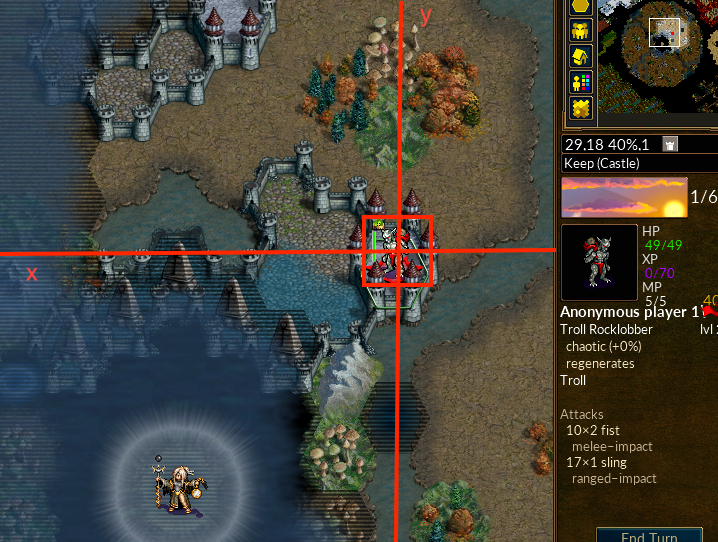
Picture a player at (2, 3) on that map and an enemy at (5, 7). The enemy
is 3 units farther along x and 4 along y. Those differences form an arrow
from the player to the enemy. Its straight-line length is 5: a right triangle
with sides 3 and 4 has a long side of √(3² + 4²) = √25 = 5.
A 3D game adds a third axis. If the enemy is also 12 units above the player,
the arrow becomes (3, 4, 12) and its length becomes
√(3² + 4² + 12²) = √169 = 13. The same subtraction and distance idea grew
by one coordinate; no new kind of measurement was required.
This interactive lab needs JavaScript. The lesson text around it still explains the same idea.
That arrow turns positions into useful questions: how far away is a target, which direction should a character move, and is the target inside a guard’s view? We will use the same spatial language for automation and NPC decisions. The later camera lessons extend it to projecting the world onto a screen.
Rust can store the three numbers together:
#[derive(Clone, Copy, Debug, PartialEq)]struct Vec3 { x: f32, y: f32, z: f32,}Each field is an f32, a 32-bit floating-point number that can hold fractions as
well as whole coordinates. #[derive(...)] asks Rust to generate conveniences
such as copying and printing this small record; none of those traits changes the
geometry. A Vec3 is not special hardware. It is a vector: an ordered group
of numbers that we choose to treat as one mathematical object. The order matters
because each slot has a role. Swapping x and z changes the meaning even
when the three numbers stay the same.
Vectors are useful because one operation can apply to the whole idea. Adding a movement vector to a position moves the position. Subtracting two positions gives the difference between them.
Games disagree about which axis means “up.” Never assume. Move in one direction at a time and observe which field changes.
Position versus direction
Section titled “Position versus direction”A position answers “where?” A direction answers “which way?” Both can use three numbers, but they mean different things.
impl Vec3 {    fn subtract(self, other: Self) -> Self {        Self {            x: self.x - other.x,            y: self.y - other.y,            z: self.z - other.z,        }    }
    fn length(self) -> f32 {        (self.x * self.x + self.y * self.y + self.z * self.z).sqrt()    }}
fn main() {    let player_position = Vec3 { x: 2.0, y: 3.0, z: 0.0 };    let enemy_position = Vec3 { x: 5.0, y: 7.0, z: 12.0 };    let direction = enemy_position.subtract(player_position); // (3, 4, 12)    let distance = direction.length(); // 13    println!("direction = {direction:?}, distance = {distance}");}
Self inside impl Vec3 means Vec3; self is the vector whose method was
called. The subtraction uses enemy minus player, so the result points from
the player to the enemy. length() squares each difference, adds the three
squares, and takes the square root. These exact coordinates produce the
(3, 4, 12) arrow and distance 13 calculated above. Reversing the operands
would point the arrow backward while leaving its length unchanged.
The :? in println! uses the Debug implementation generated for Vec3,
so the program prints all three fields alongside the distance. Put this block
after the Vec3 declaration to run the example.
A point and a direction can both be stored as three floats, but the allowed math is different:
| Expression | Meaning |
|---|---|
| point − point | direction and distance between places |
| point + direction | a new place after moving |
| direction + direction | combined movement |
| point + point | usually has no useful geometric meaning |
This is a good example of why a memory layout does not tell the whole story. Three adjacent floats could be a position, velocity, color, scale, or Euler angles. Watch how the game uses them before assigning a name.
Length, normalization, and alignment
Section titled “Length, normalization, and alignment”The length of a direction is its distance. Normalizing divides by that length so the result keeps only direction and has length one. Check for a near-zero length first; there is no meaningful direction from a point to itself.
fn normalized(value: Vec3) -> Option<Vec3> { let length = value.length(); if !length.is_finite() || length <= f32::EPSILON { return None; } Some(Vec3 { x: value.x / length, y: value.y / length, z: value.z / length, })}For (3, 4, 0), length is 5, so the returned vector is
Some((0.6, 0.8, 0)): it points the same way and its length is 1.
Option expresses the case where no usable direction exists. When the points
coincide, division by zero cannot produce a meaningful aim direction, so the
function returns None rather than letting invalid numbers spread into later
camera calculations. is_finite also rejects infinity and NaN from a damaged
or stale snapshot.
The dot product measures alignment. For two normalized directions it is near
1 when they face the same way, 0 when perpendicular, and -1 when opposite.
A field-of-view test can compare the camera’s forward direction with the direction
to a target. This avoids turning both vectors into angles merely to ask whether they
point roughly the same way.
For vectors a = (aₓ, aᵧ, a_z) and b = (bₓ, bᵧ, b_z):
a · b = aₓbₓ + aᵧbᵧ + a_zb_z
if a and b have length 1:a · b = cos(θ)
That second line is why a dot product can become an angle with
acos(clamp(dot, -1, 1)). Clamp first because floating-point rounding can produce
1.0000001, which is outside the mathematical input range of acos.
Worked through, a field-of-view test is three multiplications and two additions. Suppose the camera faces straight along positive x, and a target sits ahead and a little to the side:
camera_forward      = (1.0, 0.0, 0.0)     already length 1direction_to_target = (0.8, 0.6, 0.0)     already length 1
dot = (1.0 x 0.8) + (0.0 x 0.6) + (0.0 x 0.0) = 0.8
0.8 is the cosine of roughly 37 degrees, so the target sits about 37 degrees
off the centre of view. If visibility accepts directions at most 45 degrees from the centre of view, you
never need acos at all: compare the dot product against cos(45°), which is
about 0.707, and anything above that threshold is inside the cone. Comparing
cosines is cheaper than converting to angles, and it sidesteps the rounding
trap described above.
Blending values: interpolation, easing, and following
Section titled “Blending values: interpolation, easing, and following”Subtracting positions gives a direction. The reverse question is just as common:
given two values, what is the value some fraction of the way between them? A
character walks from one tile to the next, a colour fades, a camera slides toward
a target. The answer is linear interpolation, usually called lerp. Start at
a and add the fraction t, from 0 to 1, of the way to b:
At t = 0 the result is a, at t = 1 it is b, and at t = 0.25 it is a
quarter of the way. For numbers, a = 2 and b = 10 give
2 + (10 − 2) × 0.25 = 4. For a vector, blend each coordinate on its own: from
(2, 3) to (5, 7), halfway (t = 0.5) is (2 + 3 × 0.5, 3 + 4 × 0.5) = (3.5, 5). A
colour is three numbers too, so a half blend of red rgb(255, 0, 0) and blue
rgb(0, 0, 255) is (127.5, 0, 127.5), which a display stores as
rgb(128, 0, 128), a purple.
Lesson 4.1 left 3.33 ms over after a 16.67 ms step, so t = 3.33 ÷ 16.67 = 0.2.
If a ball’s x was 794 after the earlier step and 796.5 after the later one, the
picture shows 794 + (796.5 − 794) × 0.2 = 794.5. That is the blend the engine uses
to draw motion between its steps.
Easing
Section titled “Easing”A straight lerp moves at one speed, so it starts and stops abruptly. Easing
reshapes t before it is used, so the motion can begin gently, end gently, or
both. Here are four reshapings, with the value each gives at five moments:
| Curve | Formula | t = 0 | t = 0.25 | t = 0.5 | t = 0.75 | t = 1 |
|---|---|---|---|---|---|---|
| linear | t |
0 | 0.25 | 0.5 | 0.75 | 1 |
| ease in (starts slowly) | t × t |
0 | 0.0625 | 0.25 | 0.5625 | 1 |
| ease out (ends slowly) | 1 − (1 − t)² |
0 | 0.4375 | 0.75 | 0.9375 | 1 |
| smoothstep (both ends) | 3t² − 2t³ |
0 | 0.15625 | 0.5 | 0.84375 | 1 |
Take an object that moves from x = 0 to x = 100 in one second. A quarter of the
way through, the linear curve has put it at 25, the ease-in curve at 6.25 (it is
still getting started), the ease-out curve at 43.75 (it is already slowing), and
smoothstep at 15.625. Every curve starts at 0 and ends at 1, so every one reaches
the same place; they differ in how they get there.
Following a moving target
Section titled “Following a moving target”A camera or a character that chases a target can close a fraction of the remaining gap on every update:
position = position + (target - position) × kWith a gap of 10 and k = 0.2, the gap after each update is 10, then 10 × 0.8 = 8,
then 6.4, then 5.12, then 4.096. The follower moves fast while it is far away and
slows as it arrives, which looks smooth.
One fixed k has a flaw: a game running 120 updates a second closes the gap twice
as often as one running 60. The fix is to tie k to the time that passed. With a
stiffness s per second, use k = 1 − e^(−s × dt). For s = 10:
- at 60 updates a second,
dt = 1/60, sok = 1 − e^(−0.1667) = 1 − 0.8465 = 0.1535; - at 120 updates a second,
dt = 1/120, sok = 1 − e^(−0.0833) = 1 − 0.9200 = 0.0800.
Two 120-per-second updates leave (1 − 0.0800)² ≈ 0.8465 of the gap, the same as one 60-per-second update, so the camera follows the same way on either machine.
Past the two samples: extrapolation
Section titled “Past the two samples: extrapolation”The lerp formula does not forbid a t above 1. With t = 1.5 it continues the same
line beyond b, and that is extrapolation: a guess about a value past the last
one known. A game needs it when its newest information is already old. A client that
receives another player’s position 10 times a second, every 0.10 s, still draws 60
pictures a second. Between two updates it can show a past state that lies between
two known points (interpolation), or guess the present from the last two
(extrapolation).
Take an update of x = 100 at 0.00 s and one of x = 106 at 0.10 s, so the speed is
(106 − 100) ÷ 0.10 = 60 units a second. At 0.15 s, t = (0.15 − 0.00) ÷ 0.10 = 1.5,
and the guess is 100 + (106 − 100) × 1.5 = 109. Now suppose the player stopped at
106, and the update for 0.20 s says so. The interpolated view draws the state from
0.10 s earlier, so both neighbouring updates are always known:
ExampleA player who stops at x = 106
| Draw time | Where the player is | Interpolated view (shows the state 0.10 s earlier) | Extrapolated view (the newest two updates) |
|---|---|---|---|
| 0.10 s | 106 | state at 0.00 s: 100, late by 6 | 106 |
| 0.15 s | 106 | state at 0.05 s: 100 + 6 × 0.5 = 103, late by 3 | 106 + 60 × 0.05 = 109, 3 too far |
| 0.19 s | 106 | state at 0.09 s: 100 + 6 × 0.9 = 105.4, late by 0.6 | 106 + 60 × 0.09 = 111.4, 5.4 too far |
| 0.20 s | 106 | state at 0.10 s: 106 | the update arrives, the speed is 0, and the view shows 106 |
The interpolated view is always behind the truth, by 0.10 s here, but it only ever shows places the player really was. The extrapolated view is never behind, but when the guess is wrong it overshoots and then snaps back: from 111.4 to 106 in one frame. When you read another player’s position from a client’s memory, the value may be one of these display values rather than the server’s own (Chapter 8).
Curves through several points
Section titled “Curves through several points”A path that turns smoothly, such as a camera flight or the arc of a thrown item, is
built from curves called splines. The simplest piece is a quadratic Bézier
curve. It starts at P0, ends at P2, and is pulled toward a control point P1
without reaching it:
For P0 = (0, 0), P1 = (5, 10), and P2 = (10, 0), the point halfway along is
0.25 × (0, 0) + 0.5 × (5, 10) + 0.25 × (10, 0) = (2.5 + 2.5, 5) = (5, 5). The
curve rises to 5 even though the control point is at 10. Longer paths chain many
such pieces so that each one starts where the last ended, heading the same way;
that is what a cubic spline does.
Blending turning angles needs more care than blending positions, because 350° and 10° are only 20° apart. Lesson 7.1 shows how orientations are blended.
Bounding volumes: distance as a contact test
Section titled “Bounding volumes: distance as a contact test”The length of a direction is a distance, and a distance answers a contact question. Games give objects cheap stand-in shapes, called bounding volumes, and test those instead of the full model. The simplest is a circle (a sphere in 3D). Two circles touch when the distance between their centres is less than the sum of their radii.
Use the player at (2, 3) and the enemy at (5, 7) from earlier in this lesson.
Their distance is 5, and its square is 3² + 4² = 25. With both radii 2, the sum is 4
and 4² = 16. Since 25 is more than 16, the circles do not touch. With radii 2 and
3.5 the sum is 5.5 and 5.5² = 30.25, which is more than 25, so they do. Comparing
squared values gives the same answer without the square root.
A box that stays lined up with the axes is stored as its smallest and largest corner. Two such boxes overlap only if their ranges overlap on every axis. Box A spans x from 0 to 4 and y from 0 to 3, and box B spans x from 3 to 7 and y from 2 to 6. The x ranges share 3 to 4, and the y ranges share 2 to 3, so the boxes overlap. Move B to span x from 5 to 9 and they no longer do: 4 is less than 5, so one axis is enough to rule out contact.
These cheap tests are why a game’s collision tests can differ from its pictures, as Lesson 1.3 noted. Lesson 7.5 tests rays against such shapes, and Lesson 7.2 uses them to skip drawing things that are out of view.
From geometry to an action
Section titled “From geometry to an action”A position names a place. Subtracting two positions gives a direction with a length; normalizing keeps only the direction. A dot product compares alignment, which lets a decision ask whether a target lies inside a view cone without calculating its angle first. Interpolation blends two values by a fraction, easing reshapes that fraction, and a bounding volume turns a distance into a contact test. Keep the coordinate meanings and units consistent before using any of these results.
From Coordinates to Target Selection now finds positions in an offline game and uses copied, validated values to choose an action.
Picture the vector
What does target position minus observer position produce?
Subtracting positions removes the shared origin and leaves direction plus distance between the points.
Finished Lesson 4.4?
Mark it done and the lesson list shows a beside it. A chapter whose lessons are all done is marked done too. Progress is saved in this browser only.
Plain Markdown, saved in this browser.
This book grew out of the original Game Hacking Academy by attilathedud and has been rewritten as a beginner-first course. Like the original repository, its source is published under the Apache License 2.0.