Data-Driven Game Mods
Understand how a game turns editable unit definitions into behavior and how small changes can be validated.
Cheatsheet for Lesson 10.5
A one-page summary of “Data-Driven Game Mods” you can keep beside your notes. Plain Markdown.
Lesson 10.5 — Data-Driven Game Mods: cheatsheet
- Remember: Load order decides which overlapping definition wins; keep the override small enough to identify that winner.
- Also useful: Follow the unit as a chain of references: statistics lead to animation data, which selects rectangles from the sprite sheet.
Reading map
- Supported data beats live patching
- Loose files and archives
- Clone before inventing
- Follow asset references
- Add the unit to a test map
- Prefer supported data files when they meet the goal
Formulas and patterns
base game;→ required libraries;→ your unit mod
Review
- Q: What should a small unit-definition linter check before the game loads the mod? A: Required fields, types, ranges, identifiers, and referenced assets
- Q: A game loads several data packs in a fixed order, and each pack can replace files that earlier packs provided. Where should a pack that must win any conflict be placed? A: At the end, since each later pack can replace data from earlier ones
Supported data beats live patching
Section titled “Supported data beats live patching”Lesson 10.4 replaced an Urban Terror skybox image while keeping the required file shape. A game may also load editable definitions that control behavior. Flare’s unit files let us change one enemy without finding a live pointer or rewriting executable code.
Flare defines many items, enemies, powers, and maps in text files. That makes it an excellent modding target.
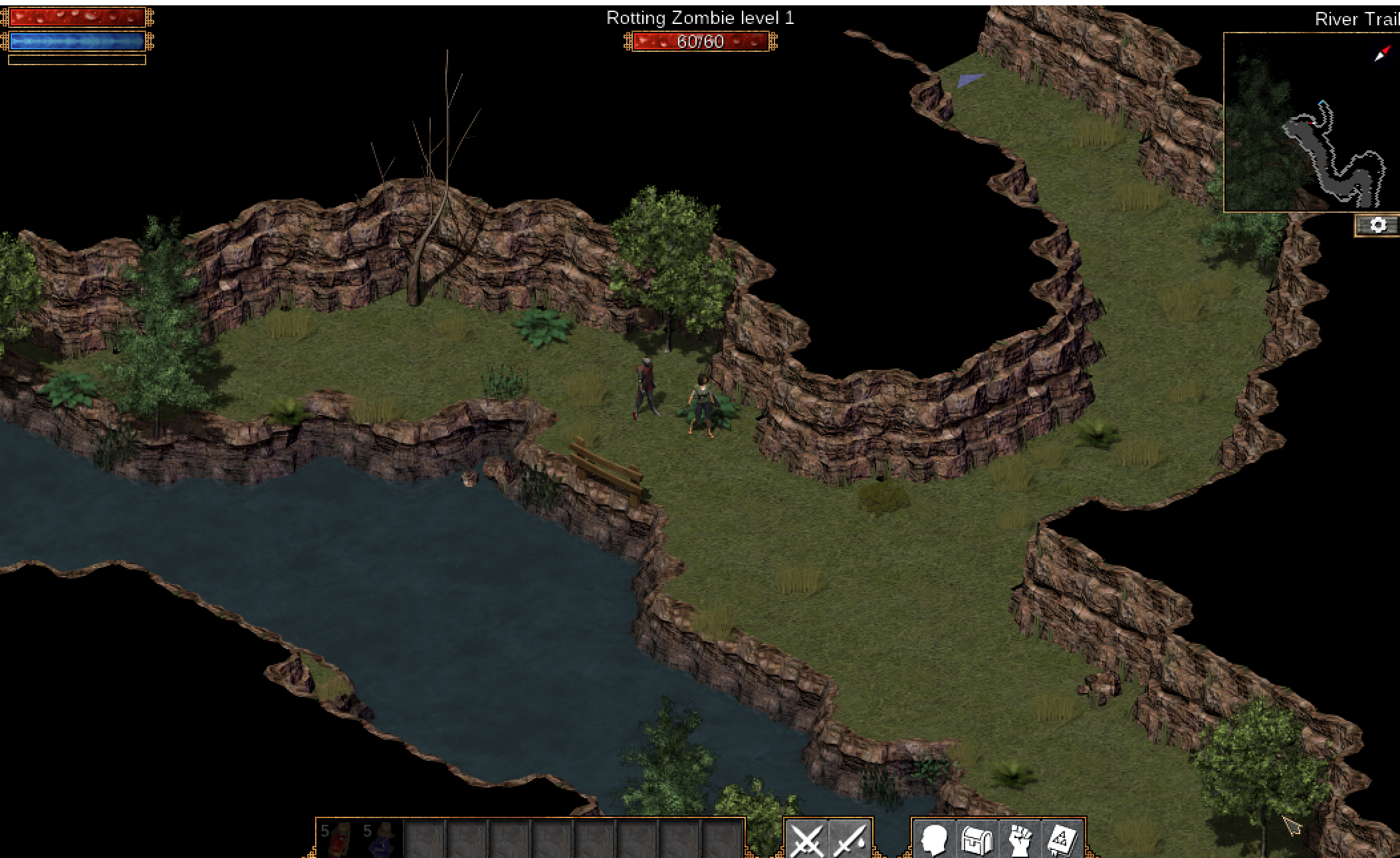
Find the unit definition by searching for a visible name or asset path. Copy the definition into a separate mod folder instead of editing the base game.
In the standard Windows install, start here:
C:\Program Files (x86)\Flare\modsmods.txt normally lists fantasycore followed by empyrean_campaign. Lower entries override higher entries.
Learn the override order
Section titled “Learn the override order”Flare loads mods in order; later entries can override earlier data. Keep your mod small so it is obvious which file wins.
base game→ required libraries→ your unit modDo not copy an entire base data folder into the mod. You would accidentally freeze and override unrelated files.
Loose files and archives
Section titled “Loose files and archives”Some engines prefer a loose file over the same path inside an archive. Others require rebuilding the archive.
If extracting:
- keep the directory structure;
- reject absolute and parent-traversal paths;
- preserve the original archive;
- change one entry only;
- use the engine’s official packer when available.
Clone before inventing
Section titled “Clone before inventing”ExampleA small enemy to copy
Start with a known working unit:
[enemy]id=gha_training_slimename=Training Slimelevel=1hp=20speed=2.0Change the id and one visible field. Load the game and confirm. Then change the next field.
For the real Rotting Zombie, follow the two-layer definition:
mods\fantasycore\enemies\base\zombie.txtmods\empyrean_campaign\enemies\lvl1_zombie_rotting.txtThe base file points to shared animation data. The campaign file supplies the visible name and combat statistics. In a copied mod, override lvl1_zombie_rotting.txt, give the enemy a new name, lower its HP, and raise its movement speed. Load the first area containing a Rotting Zombie: it should display the new name, die quickly, and move faster.
The original lesson’s exact visible data hack is:
INCLUDE enemies/base/zombie.txt
name=MOOOOOlevel=1categories=zombie,undead,dungeon,grasslandrarity=commonxp=2
# combat statsstat=hp,1speed=20turn_delay=1mschance_pursue=10
power=melee,1,1
stat=accuracy,1stat=avoidance,10stat=poise,20
stat=dmg_melee_min,1stat=dmg_melee_max,1cooldown=1800ms
# lootloot=loot/level_1.txt
Put this at gha_rotting_zombie\enemies\lvl1_zombie_rotting.txt and list gha_rotting_zombie after empyrean_campaign in mods.txt. Because later mods override earlier ones at the same relative path, Flare uses this record while still following the INCLUDE to the shared zombie behavior and animation. The three mods then sit side by side:
Directorymods/
- mods.txt the load order: fantasycore, empyrean_campaign, then gha_rotting_zombie
Directoryfantasycore/
Directoryenemies/
Directorybase/
- zombie.txt the shared animation data, reached by INCLUDE
Directoryempyrean_campaign/
Directoryenemies/
- lvl1_zombie_rotting.txt the original name and combat statistics
Directorygha_rotting_zombie/ your mod
Directoryenemies/
- lvl1_zombie_rotting.txt wins, because this mod is listed last
Parse and validate the definition
Section titled “Parse and validate the definition”A small linter catches easy mistakes:
#[derive(Debug)]struct EnemyDefinition {    id: String,    name: String,    level: u32,    hp: u32,    speed: f32,}
impl EnemyDefinition {    fn validate(&self) -> anyhow::Result<()> {        anyhow::ensure!(!self.id.trim().is_empty(), "id cannot be empty");        anyhow::ensure!(            self.id.chars().all(|c| c.is_ascii_lowercase() || c == '_' || c.is_ascii_digit()),            "id must use lowercase ASCII, digits, or underscores"        );        anyhow::ensure!(!self.name.trim().is_empty(), "name cannot be empty");        anyhow::ensure!((1..=100).contains(&self.level), "level is out of range");        anyhow::ensure!((1..=1_000_000).contains(&self.hp), "hp is out of range");        anyhow::ensure!(self.speed.is_finite() && self.speed > 0.0, "speed must be positive");        Ok(())    }}
The typed struct above teaches validation. For the real repeatable stat= lines, preserve the key and parse the first comma-separated item as the stat name and the second as its numeric value. Do not collect them into a map keyed only by stat, because that would discard all but one line.
Follow asset references
Section titled “Follow asset references”A unit definition may point to:
- an animation set;
- a sprite sheet;
- sound effects;
- powers;
- loot tables;
- AI behavior.
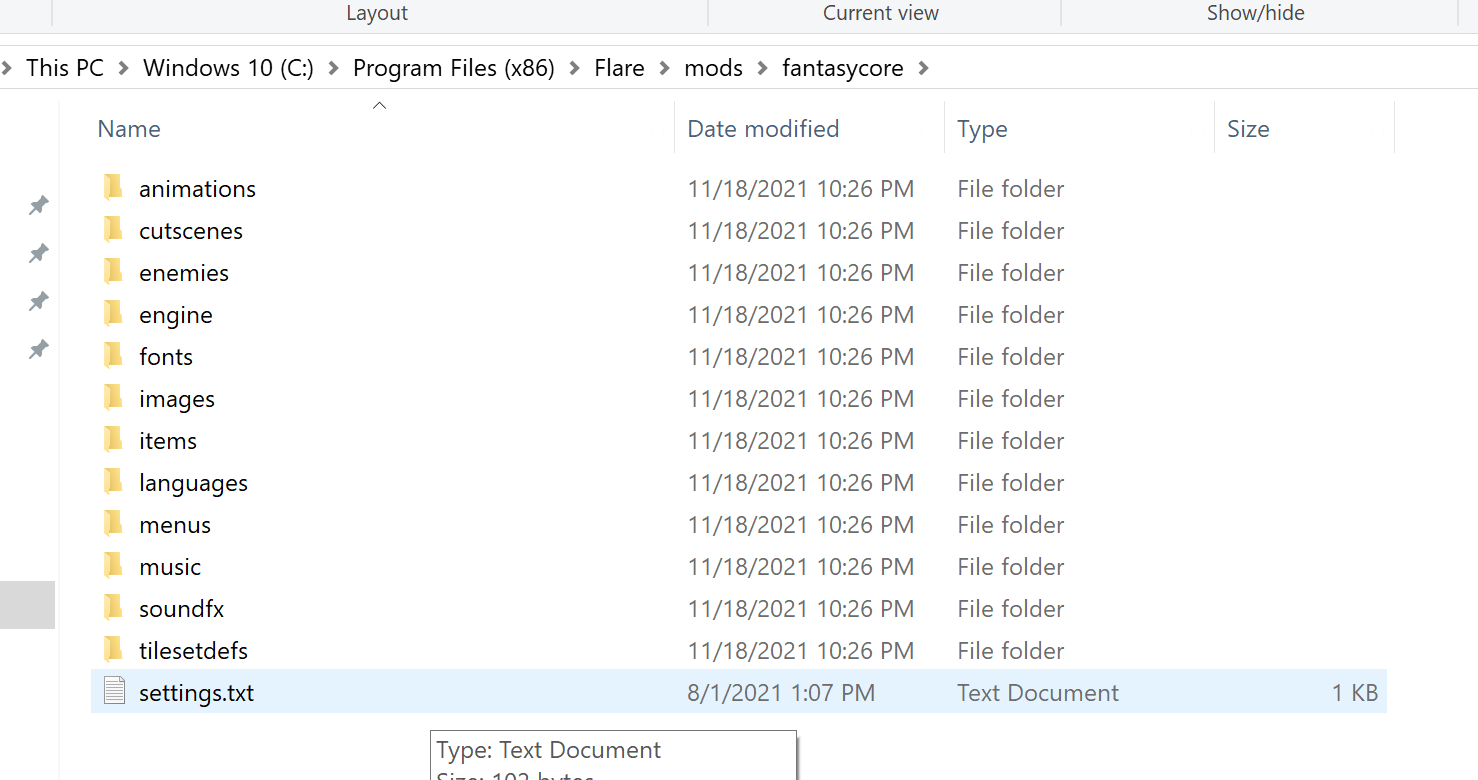
Copy or create only assets your mod changes. Keep paths relative and verify case sensitivity—Windows may accept a path that Linux rejects.
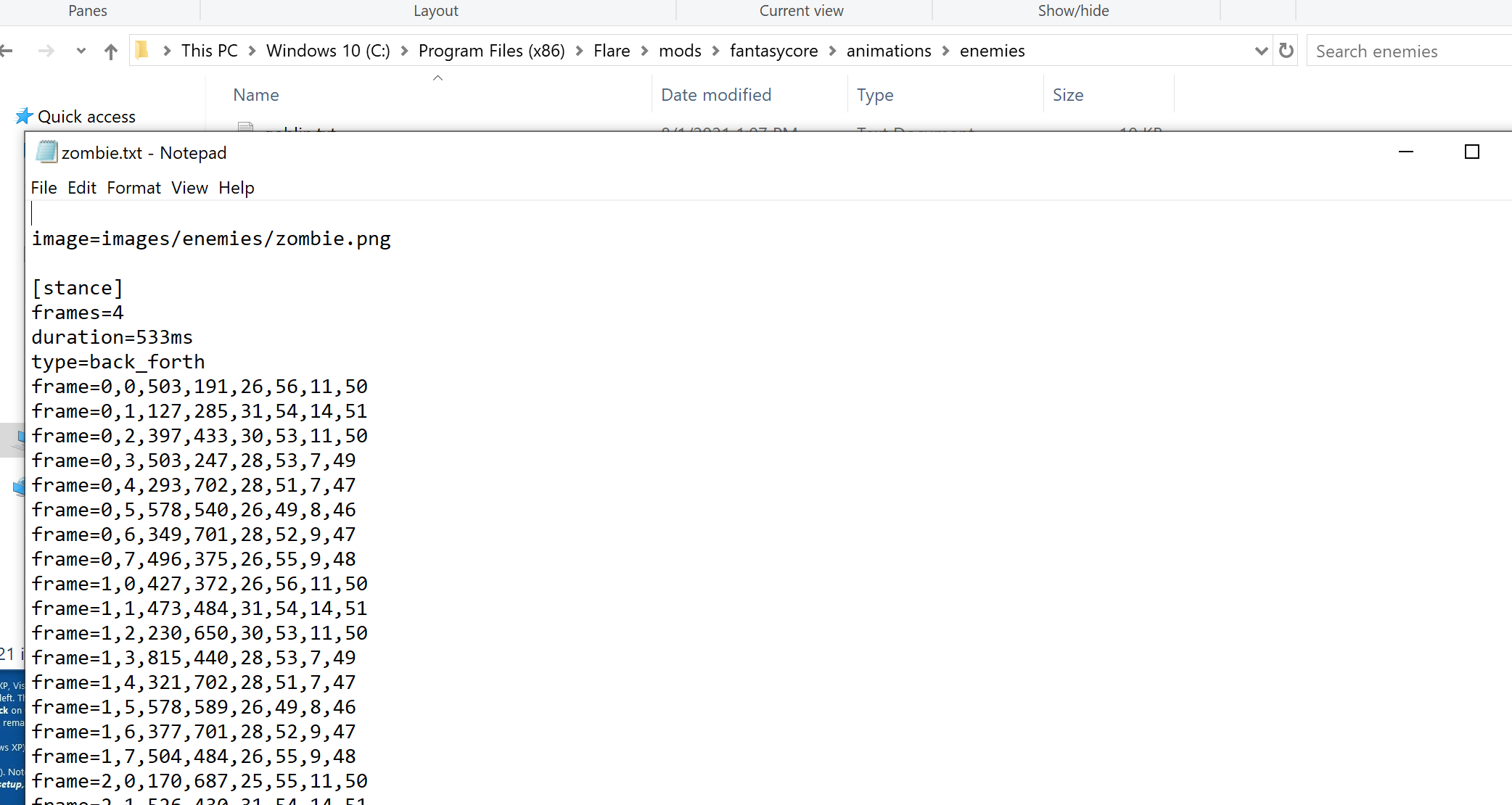
Follow the animation reference from zombie.txt to its animation file, then follow that file to the zombie sprite sheet (zombie.png). Make a copy inside your mod with the same relative path and paint a blue background behind every animation frame. Do not resize the sheet or move frames: the animation file selects fixed rectangles from it.
Add the unit to a test map
Section titled “Add the unit to a test map”Use a disposable map or developer spawn command. Place one unit in an empty area.
Test:
- spawn and idle animation;
- movement and collision;
- damage and death;
- save and reload;
- missing-asset behavior;
- uninstall by removing the mod.
When the modified Rotting Zombie runs onto the screen with the changed name, statistics, and blue sprite background, you have changed the actual unit’s data and artwork—not a stand-in format.
Keep a manifest
Section titled “Keep a manifest”A working unit on one machine is not yet an installable mod. The manifest names this package, states its version, and pins the Flare build whose data layout and asset paths we tested. Those fields give a player or installer a quick compatibility check before copying the new unit files:
name = "gha-training-slime"version = "0.1.0"target_game = "Flare 1.12"description = "Adds one low-level training enemy."The file list, any dependencies, and load order belong in the same package record. Without them, removing or updating the mod becomes guesswork even when the unit definition itself is valid.
A mod that replaces an existing asset also records the original’s path and hash, so the change can be checked and removed. The marked texture from Lesson 10.4 needs only this:
name: orange-corner-texturetarget: Urban Terror 4.3.4source path: textures/example/wall.tgaoriginal sha256: ...changes: 16×16 orange marker in top-leftuninstall: remove the mod folderDo not redistribute original copyrighted assets when a small patch, generated replacement, or installation script is enough.
Prefer supported data files when they meet the goal
Section titled “Prefer supported data files when they meet the goal”The course began by changing one number in live memory. It ends with a supported, versioned, removable mod.
Both approaches teach how games represent behavior, but the file-based mod has strong advantages:
- the diff is readable;
- the game can validate it;
- users can install and remove it;
- updates are easier to track;
- no raw process memory is involved.
This board needs JavaScript to move things around. Here is the lesson’s sorting:
- Live patch only
- You must find a live pointer or rewrite code. A unit file lets you change an enemy without finding a live pointer or rewriting executable code. A live patch has to do one of those.
- Raw process memory is involved. A live patch works inside the running process. The file-based mod involves no raw process memory.
- Both
- Teaches how a game represents behaviour. The lesson says both approaches teach how games represent behaviour, which is why the course starts with a live number and ends with a mod.
- Can change one enemy’s stats. Either way the goal can be the same: change one number such as an enemy’s hit points.
- Data mod only
- The change is a readable diff. A text definition shows exactly what changed, line by line.
- The game can validate it. The game checks the definition through its own rules when it loads it, so a mistake is caught there.
- Players can install and remove it. It is a package in its own folder with a manifest, so removing it leaves the base game untouched.
- Updates are easy to track. A manifest names the version and the tested game build (for example Flare 1.12), so compatibility is a quick check.
When a supported extension point exists, choose it.
Validate structured game data
What should a small unit-definition linter check before the game loads the mod?
A schema turns implicit engine expectations into explicit checks. It catches malformed data before a vague runtime failure.
Finished Lesson 10.5?
Mark it done and the lesson list shows a beside it. A chapter whose lessons are all done is marked done too. Progress is saved in this browser only.
Plain Markdown, saved in this browser.
This book grew out of the original Game Hacking Academy by attilathedud and has been rewritten as a beginner-first course. Like the original repository, its source is published under the Apache License 2.0.